
This PDF to Word converter turns the text of a PDF into an editable .docx file with paragraphs and headings, ready to quote, reword or reformat in Word, LibreOffice or Google Docs.
It reads the text layer that PDFs made from Word or LaTeX carry. It does not recognise text in scans, and it flattens tables and columns into paragraphs; for those, it can put a picture of each page in the document instead. Your PDF is never uploaded.
How to use it
- Click Choose a PDF or drop the file on the box.
- Under Word document contents, pick Editable text (paragraphs and headings), Editable text + an image of each page, or Page images only (exact look, not editable).
- Click Convert to Word.
- Click Download to save the .docx, named after the PDF.
How the text is rebuilt
PDF.js pulls each piece of text from a page with its position and size, and the docx library writes the Word file:
- Pieces within half a font size of the same height join into one line.
- The median line size is taken as body text. A line over 1.2 times that becomes a heading: Heading 1 above 1.6 times, otherwise Heading 2.
- Lines join into one paragraph until the gap to the next is over 1.8 times the font size, or 1.3 times after a line ending in a full stop, colon, question mark or exclamation mark.
- A hyphen at a line end is removed and the word joined.
- A page break separates PDF pages.
Page images are drawn at 108 dpi, saved as JPEG at quality 0.85 and inserted 600 px wide.
Example: 3 pages of lecture notes
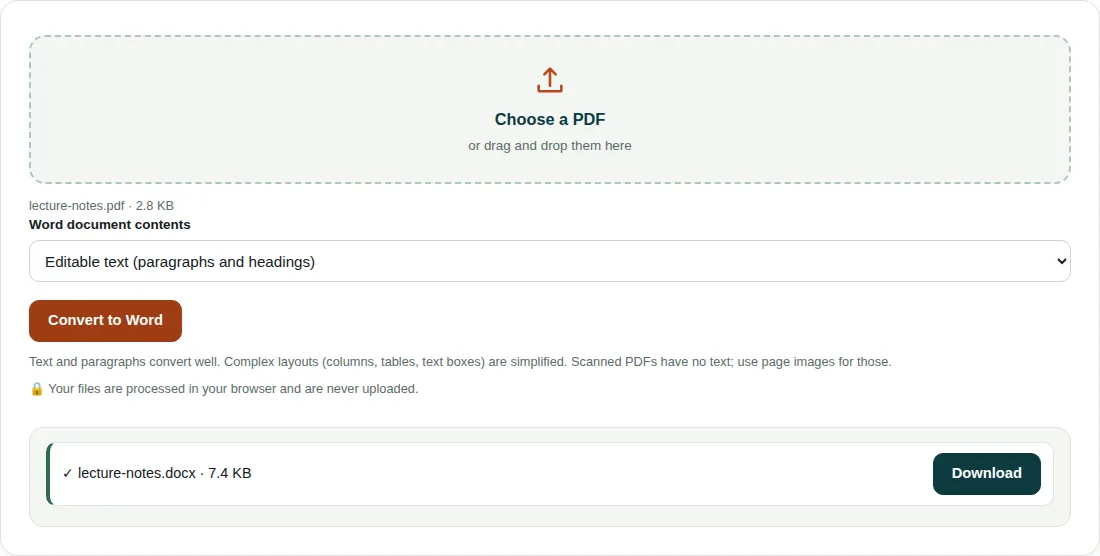
lecture-notes.pdfhas 3 pages, each with a 22 pt title, 14 lines of 11 pt text and a coloured box.- Body size is 11 pt. The title is 22 pt, over 1.6 × 11 = 17.6 pt, so it becomes Heading 1.
- Body lines are 16 pt apart, under 1.8 × 11 = 19.8 pt, so the 14 lines join into one paragraph.
lecture-notes.docxis 7.4 KB: 3 headings, 3 paragraphs (3,444 characters) and 2 page breaks. The coloured box is a drawing, not text, so it is left out.
Limits of this converter
- Scans have no text layer. In text mode the tool stops if it finds fewer than 20 characters; choose Page images only or run OCR software first.
- Pictures, charts and shapes are left out of the text-only option.
- Bold is rarely picked up: the tool looks for ‘bold’ in the font family, and PDF.js usually reports only a generic family such as sans-serif.
- Large captions or title-page text can be tagged as headings. Check the heading styles after converting.
Questions people ask
Can I convert a scanned PDF to editable Word?
Not with this tool. A scan is a picture with no text layer, and the converter does not do OCR (optical character recognition). Choose Page images only to get the pages into Word as pictures, or run the scan through OCR software first.
Will my PDF keep its formatting in Word?
Paragraphs, headings and page breaks carry over. Fonts, colours, columns and tables do not, and the text option leaves out images. Choose Editable text + an image of each page to see the original layout while you edit.
Is it safe to convert PDF to Word online?
Your PDF is not uploaded. The page loads PDF.js and the docx library from this site, then does all the work on your device.
Related tools
- Word to PDF: Save a Word (.docx) document as a PDF.
- PDF to Image: Turn PDF pages into JPG, PNG or WebP images.
- Word Counter: Words, characters, sentences, reading time and keywords.