
Convert Word to PDF without Microsoft Word installed. Choose a .docx file, check the preview, and save it as a PDF from your browser’s print window. Text in the PDF stays selectable and searchable.
The tool keeps the structure: headings, paragraphs, bold and italic text, lists, tables and pictures. It lays them out on A4 with its own plain styling, so the result is tidy but won’t match Word line for line. The file never leaves your device.
How to use it
- Click Choose a Word file (.docx) or drop the file on the box. A preview appears once it has been read.
- Check the preview for missing pictures or odd tables.
- Click Save as PDF. Your browser’s print window opens.
- Set the printer to Save as PDF (Save to PDF in Firefox, or Microsoft Print to PDF on Windows) and save.
How the conversion works
The mammoth library reads the .docx and turns it into clean HTML: headings, paragraphs, lists, tables, links, footnotes and images. It ignores fonts, font sizes and colours on purpose. The tool puts that HTML in a hidden frame with a print stylesheet and calls your browser’s print command, and the browser writes the PDF.
| Print setting | Value |
|---|---|
| Page | A4, 20 mm margins |
| Body text | Calibri (or Carlito, then Arial), 11 pt, line height 1.4 |
| Headings 1–3 | 18, 15 and 13 pt |
| Tables | Full width, 1 px grey cell borders |
Only .docx works. Old .doc files get a message asking you to save them as .docx.
Example: a short lab report
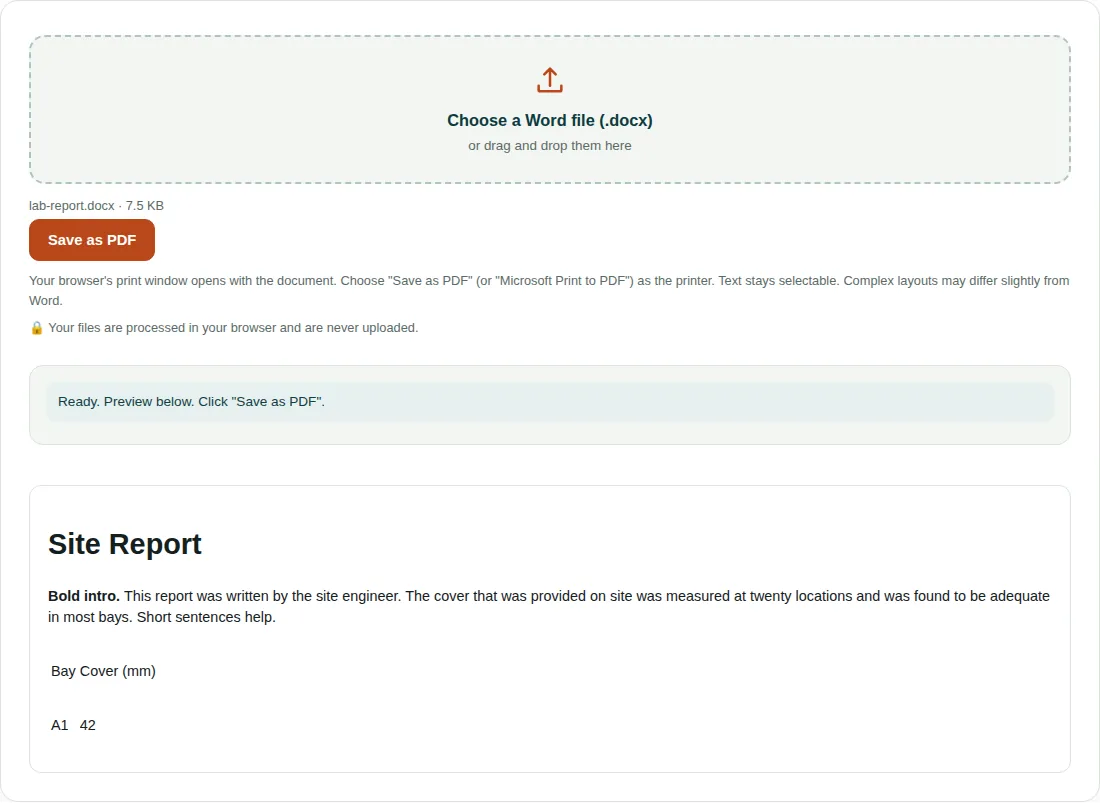
lab-report.docx(7.5 KB) holds a Heading 1 titled Site Report, a paragraph that opens with two bold words, and a two-row table of bay and cover.- Mammoth turns these into a heading, a paragraph with a bold run and a table, which is what the preview shows.
- In print, the heading is set at 18 pt, the paragraph at 11 pt, and the table gains grey cell borders.
- Choosing Save as PDF writes a one-page A4 PDF.
For a cleaner PDF
- If the print window adds a date, title or web address at the top and bottom, turn off Headers and footers in its settings.
- Word headers, footers, page numbers, text colours and custom fonts are not carried over. For an exact copy, save as PDF from Word or export from LibreOffice.
- Equations from Word’s equation editor may not come through. Check them in the preview.
- In Safari on a Mac, open the PDF menu at the bottom of the print window and choose Save as PDF.
Questions people ask
How do I convert Word to PDF without Microsoft Word?
Choose the .docx here, click Save as PDF and pick Save as PDF as the printer. Your browser writes the PDF, so no other software is needed.
Why does my PDF look different from my Word document?
The tool keeps the content and structure but not Word’s page layout. Text is reset to Calibri 11 pt on A4 with 20 mm margins, and headers, footers and colours are dropped.
Can I convert a .doc file to PDF?
No, only .docx files work. Open the .doc in Word, LibreOffice or Google Docs, save it as .docx, then choose that file here.
Related tools
- PDF to Word: Convert a PDF into an editable Word (.docx) file.
- Merge PDF: Join several PDF files into one, in the order you choose.
- Compress PDF: Make a PDF smaller for email and upload limits.