
This grammar checker finds grammar, spelling, punctuation and style problems and offers fixes you apply with a click. It uses LanguageTool, an open-source proofreading service, and covers US, UK, Australian, New Zealand and Canadian English.
Your text is sent to LanguageTool to be checked. If your browser cannot reach LanguageTool directly, the text is relayed through this site’s server, which passes it straight on and does not store it.
Referencing & Report Cheat-Sheet
A free 4-page PDF: APA 7, Harvard and IEEE at a glance, plus a lab report checklist.
Useful for this job
We may earn a commission if you buy through these links, at no extra cost to you. Disclosure
How to use it
- Paste into Paste your text (long documents are checked in parts), or use Or upload a file.
- Choose the Language. English (US) is the default; English (UK), Australia, New Zealand, Canada and Detect automatically are in the list.
- Click Check grammar and spelling.
- Hover over an underline to read the message: red for spelling, amber for grammar, teal for style.
- Click a suggestion in the list to apply it. The text in the box changes straight away and the other marks stay in place.
How the check works
- The text and language go over HTTPS to LanguageTool’s public service at api.languagetool.org.
- If there is no answer within 9 seconds, or the connection is blocked (some networks and ad blockers do this), the tool uses this site’s relay until you reload the page. The relay forwards the text, returns the results and keeps no copy.
- Text over 15,000 characters is split into parts, at a line break where possible, with a 3.2-second pause between parts.
- Up to four suggestions are shown for each issue.
- The relay takes up to 20,000 characters per request and allows 8 checks a minute per visitor and 18 across the site.
Worked example: what happens when you click Check
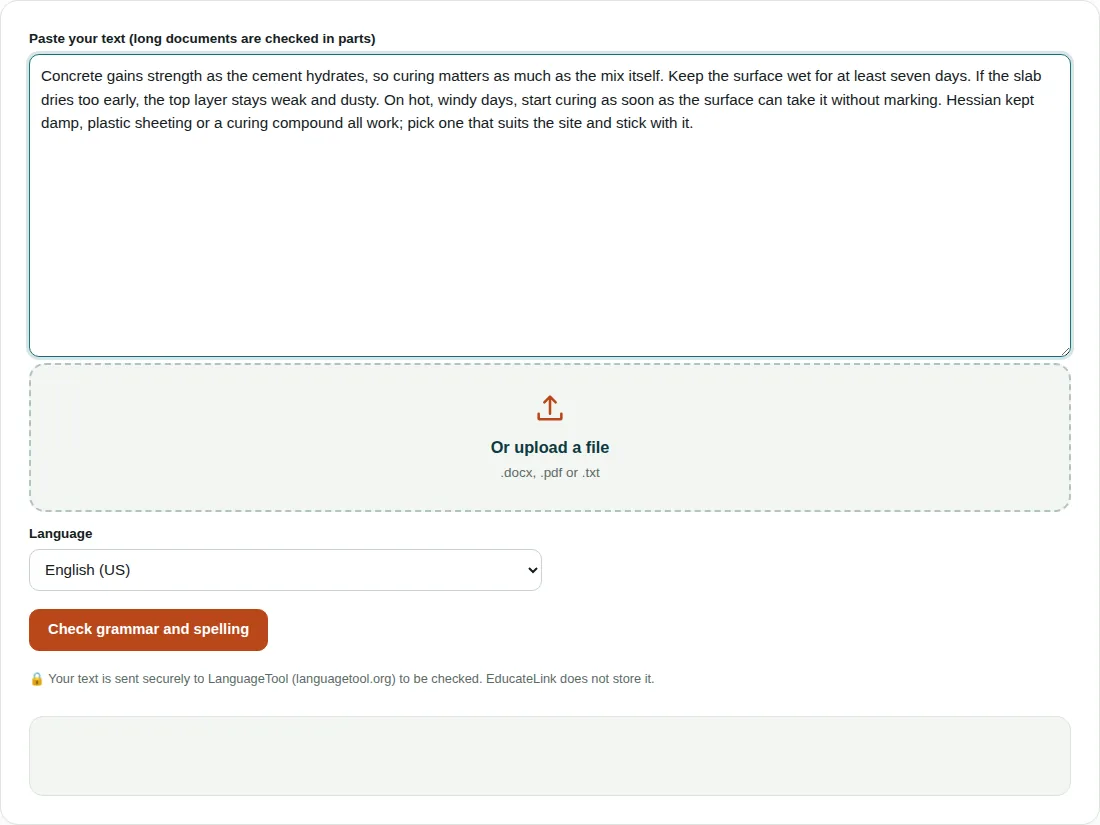
The screenshot paragraph is 403 characters, far below 15,000, so it goes to LanguageTool as one request with the language set to en-US.
A longer text is split. An essay of 80 paragraphs of 403 characters (32,398 characters with the blank lines) becomes three parts of 14,985, 14,985 and 2,428 characters, each ending at a paragraph break. The two pauses add 2 × 3.2 = 6.4 seconds to LanguageTool’s own response time.
When the tool first loads, the box holds a practice sentence with five deliberate mistakes: “This are a example of text with a few mistake. Their is also a spelling eror in it.” Check it to see how each type is marked.
Get more from the checker
- Choose English (UK) for British spelling. In English (US), words such as colour and organise can be flagged.
- Names and technical terms often show as misspellings, and there is no personal dictionary, so skip those.
- Applying a suggestion does not send the text again. Run a fresh check after bigger rewrites, because new sentences are not checked until you do.
- Your text leaves your device. Don’t paste unpublished results or personal data you may not share.
Questions people ask
Is this grammar checker free?
Yes. It uses LanguageTool’s free public service and needs no account. The free service limits how often you can check, so if you see the busy message, wait a minute and try again.
Is my text stored when I check it?
This site does not store it. The text goes over HTTPS to LanguageTool, and if it is relayed through this site’s server it is passed straight on without being saved. LanguageTool’s own privacy policy covers its servers.
Can the grammar checker check British English?
Yes. Set Language to English (UK) before you click Check grammar and spelling. The default, English (US), may mark British spellings such as colour as mistakes.
Related tools
- Readability Checker: Readability scores with long sentences and passive voice highlighted.
- Word Counter: Words, characters, sentences, reading time and keywords.
- Citation Generator: References in APA 7, MLA 9 and Harvard style.