
Use this image converter to change PNG, JPG, WebP, GIF, BMP or SVG files into JPG, PNG or WebP. Convert one picture or a whole batch; every image keeps its full pixel size.
It helps when a portal accepts only JPG, when a WebP from a website won’t open in your editor, or when you need a PNG for a slide. Conversion runs in your browser, so the files stay on your device.
How to use it
- Click Choose images or drop them on the box.
- Pick the target format in Convert to: JPG, PNG or WebP. PNG is selected at first.
- Click Convert images.
- Click Download next to each file, or on the ZIP line for all of them.
How the conversion works
The browser decodes each image, draws it at full size on a canvas and writes the new format. JPG and WebP are saved at quality 0.92; PNG is lossless. Nothing is resized. JSZip packs two or more files into converted-images.zip.
| Convert to | Transparency | Good for |
|---|---|---|
| JPG | Filled white | Photos, forms that want JPG |
| PNG | Kept | Diagrams, screenshots, logos |
| WebP | Kept | Web pages, smaller photos |
SVG files become pixels at the size the browser reports, or 1024 px a side if it reports none. Converted files carry no metadata. If your browser cannot write WebP, it saves PNG and the result line says so.
Example: a PNG diagram to JPG
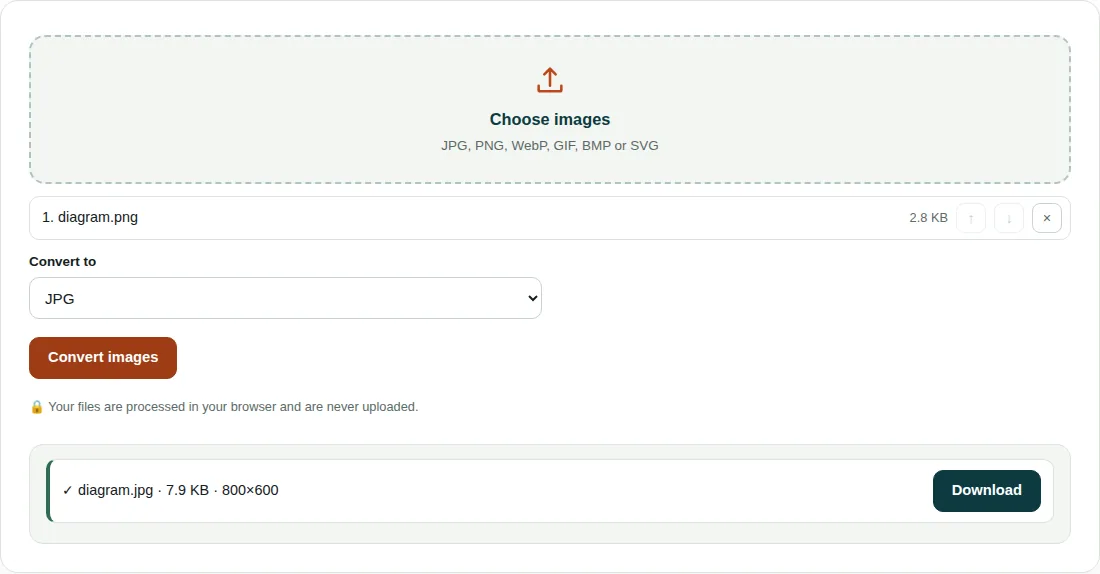
diagram.pngis 800 × 600 px and 2.8 KB, with a transparent background.- For JPG the canvas is filled white, the diagram is drawn on top and saved at quality 0.92.
diagram.jpgis 800 × 600 px and 7.9 KB, about 2.8 times the PNG.- That is normal for flat-colour drawings. PNG stores large areas of one colour compactly, while JPG is built for photos, so keep diagrams as PNG unless a form insists on JPG.
Choosing a format
- Turning a JPG into a PNG does not restore detail lost to JPG compression. It only makes a bigger file.
- Each JPG to JPG save loses a little more detail, so convert from the original where you can.
- HEIC photos from iPhones open only in Safari; other browsers report that the file could not be opened.
- To shrink files as well, use Image Compressor, which adds a quality setting and a size limit.
Questions people ask
How do I convert PNG to JPG?
Add the PNG, set Convert to to JPG and click Convert images. Transparent parts become white, and the JPG is saved at quality 0.92 with the same pixel size.
Why is my JPG bigger than the PNG?
PNG handles flat colours and sharp lines very efficiently and JPG does not. In the example, an 800 × 600 diagram grows from 2.8 KB as PNG to 7.9 KB as JPG. For photos it is usually the other way round.
How do I convert WebP to JPG?
Choose the .webp file, set Convert to to JPG and click Convert images. The JPG will open in older editors and upload forms that reject WebP.
Related tools
- Image Compressor: Shrink and resize photos without visible quality loss.
- Images to PDF: Combine photos or scans into a single PDF.
- PDF to Image: Turn PDF pages into JPG, PNG or WebP images.